
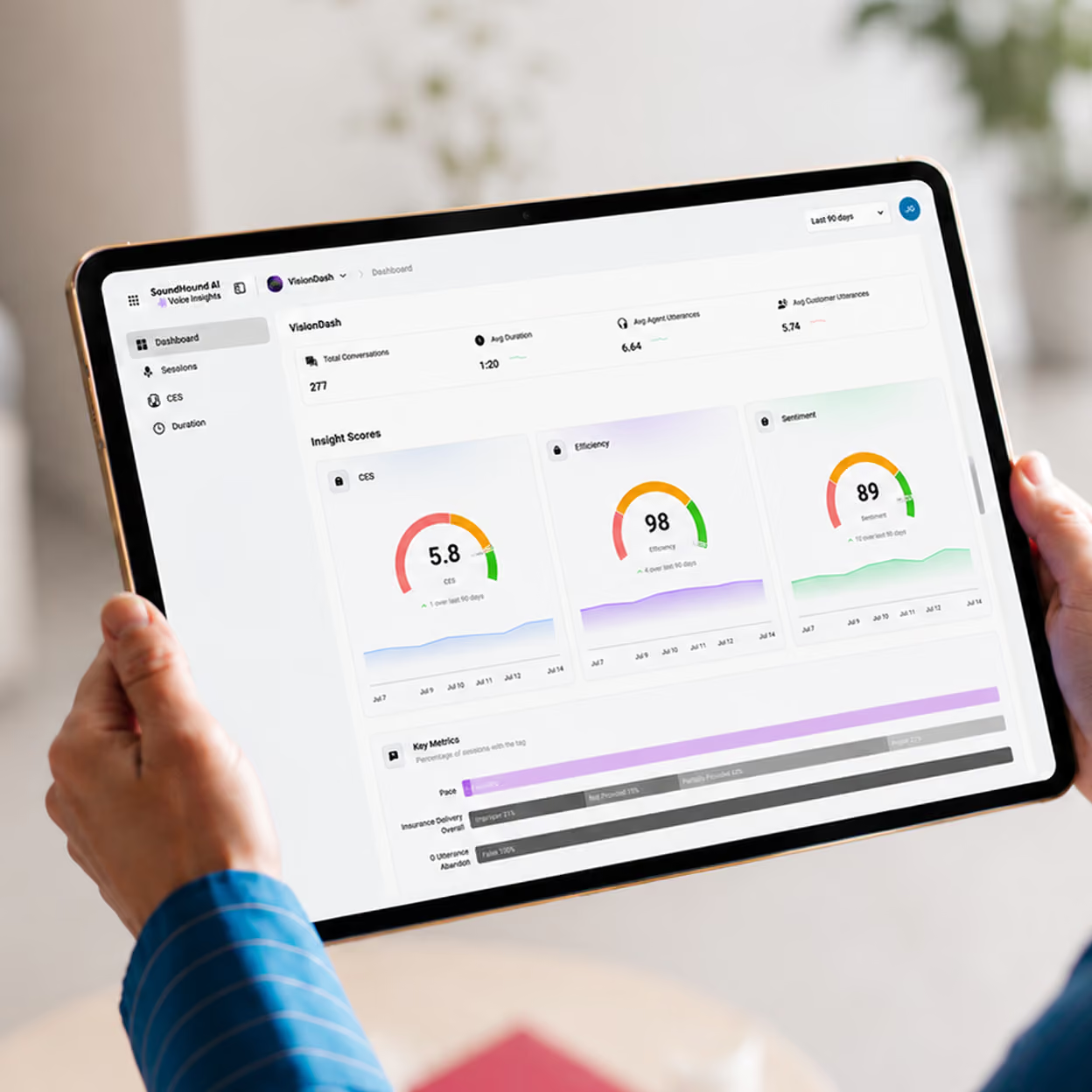
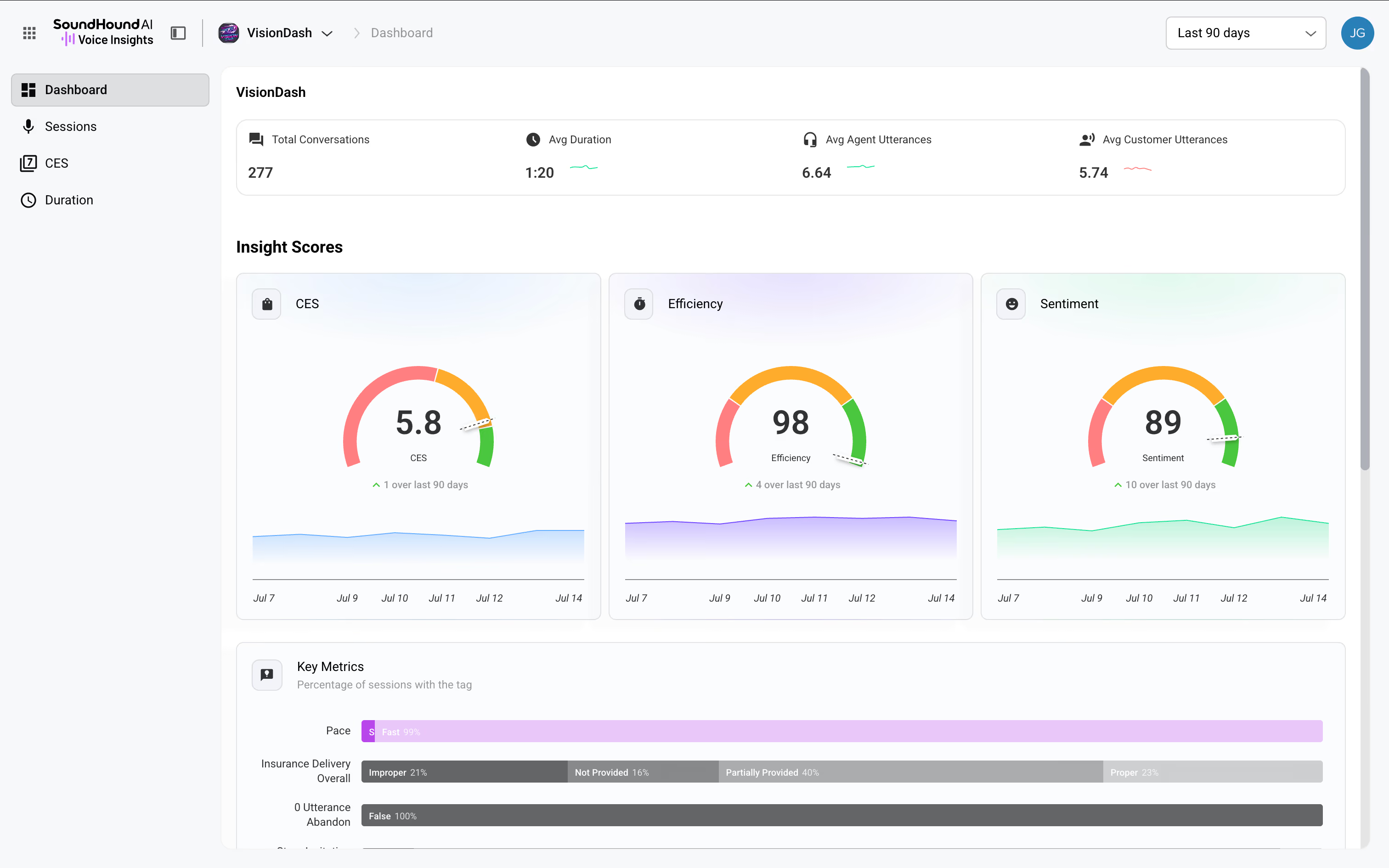
Voice insights analyzes every voice interaction for context, tone, and intent, surfacing missed revenue, avoidable cost, and new demand you never knew you had.
Too many conversations
Thousands of conversations a day, and a team who can only review a few. The rest are never heard by anyone.
Audio isn’t data
Analytics need rows and columns. Audio comes in as unstructured data, so conversations never get analyzed.
Findings go unheard
Upsells never offered, items that run out, calls that were never customers. The cost grows with every call.
It connects to the audio you already capture and turns every interaction into something your analytics can actually work with.
By connecting and analyzing the audio you already capture across every customer interaction, you can discover what your customers need most and when.

Accurate through engine noise, crosstalk, and heavy accents, where generic models break down. This is the part everything else depends on.
Every conversation becomes countable, sortable, and trendable. Interactions arrive as fields your team can filter and chart like any other dataset.
Voice Insights reads what was actually meant, not just what was said. "I'll be with you in a minute" and "may I take your order?" get logged as two different events.
Every interaction is analyzed, at every location, on every shift. No sampling, no selection, no gaps in the record.
Connects to your existing audio hardware, point-of-sale, and contact center systems. Nothing for frontline staff to learn or operate.

Structured insights create new business from old conversations.
Track upsells
Pinpoint delays
Read sentiment
Surface demand
Flag stockouts
Detect ghost calls
Compare locations
Coach individuals
Benchmark performance
Whether the offer got made. Combos at the speaker, the right product for the caller, and the shifts and teams where it stops happening.
Time to acknowledgement, time to the start of real business, and where the conversation stalls or the time goes nowhere.
Tone from both sides during the interaction, and whether it ended better or worse than it started.
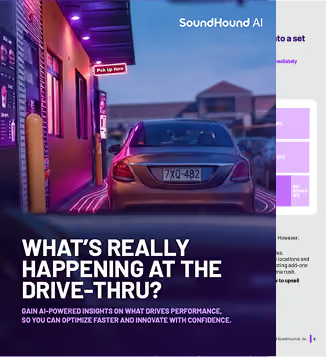
VOICE INSIGHTS PAPER
What's Really Happening at the Drive-Thru?

“More than the technology, I see SoundHound as a partner because they make my life easier.”
OASYS is built for the front-line of your business.


Voice agents that take every order, through engine noise and crosstalk, and suggest the add-ons your crew misses when the line backs up.


Resolve the calls that fail with IVRs and chatbots, from bill disputes to locked accounts, without putting customers in a queue.


Give frontline staff hands-free answers and next best actions in the moment, grounded in your own trainings, procedures, and live data.


Answer every inbound call, day or night, so bookings and questions get handled while your staff stays with the customer in front of them.



Voice insights turns the conversations your agents handle into analytics you can act on, drawing on SoundHound's CX analytics heritage to show how interactions are performing.
You can see which intents are being recognized and resolved, containment performance, sentiment, and where conversations break down, giving you a clear macro view of both the happy path and the exceptions.
Yes. Reporting surfaces the utterances and intents that were not recognized or resolved, so you can target exactly what to improve next.
Yes. SoundHound's voice AI reads sentiment and emotion, not just words, so sentiment is available as part of your insights.
Insights feed a continuous improvement loop: you identify unrecognized intents and gaps, refine the agent, and it keeps getting smarter, reinforced by SoundHound's broader feedback flywheel.
Yes. Interactions are captured so you can review transcripts and recordings for quality, training, and analysis.
Yes. OASYS integrates with enterprise data platforms through connectors, APIs, and support for the Model Context Protocol (MCP), so conversation data can feed the analytics tools you already use.
Experience SoundHound
Learn how OASYS AI agents handle your conversations in the real world.
Experience AI agents built around your actual use cases
See how we balance flexibility and reliability
Explore how we deliver outcomes that matter to you
Discuss what support looks like